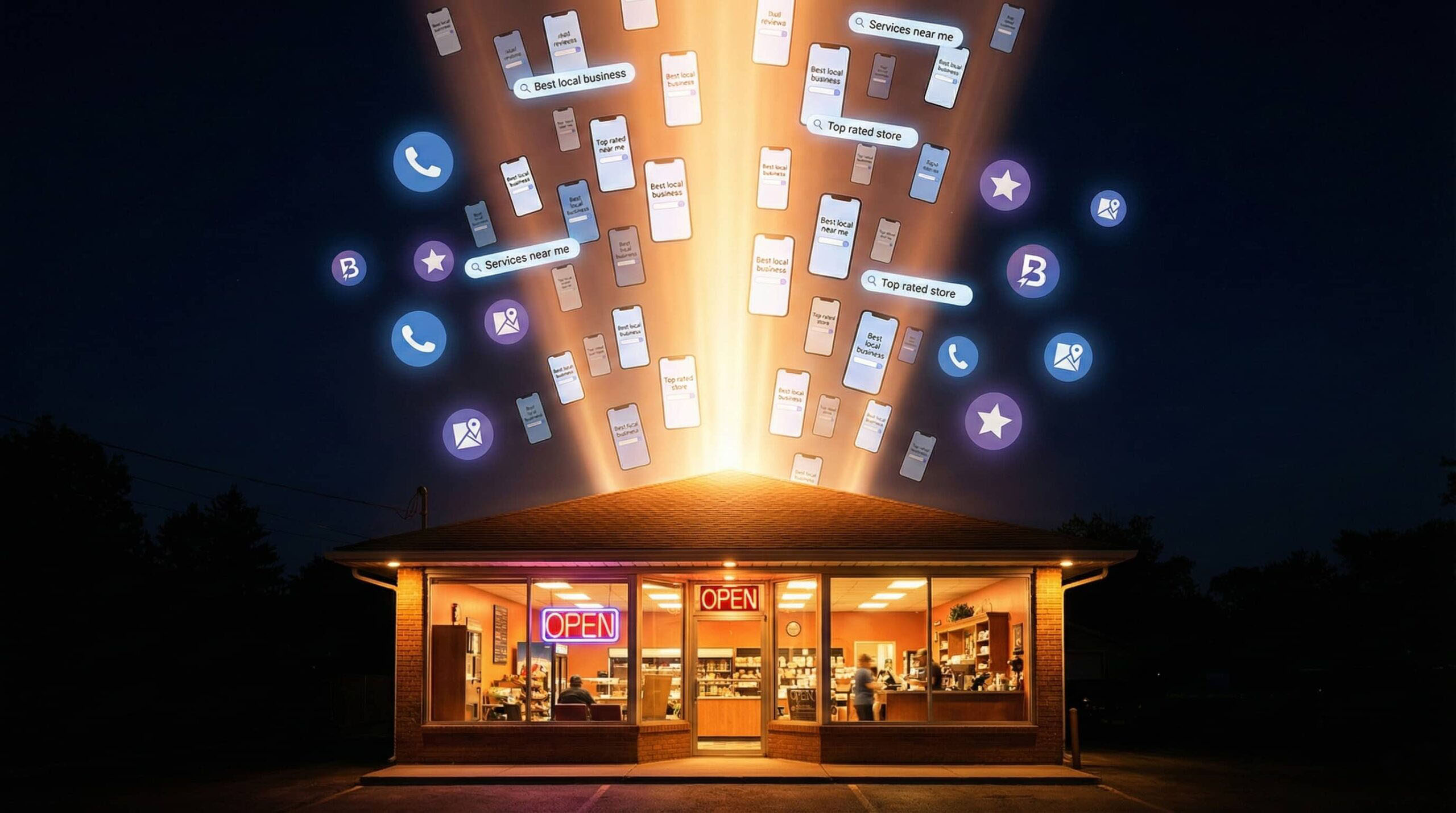
Imagine spending months optimizing a client’s website to rank #1 on Google, only to discover that their target customers are getting their answers without ever clicking through. Welcome to the era of zero-click searches—where Google’s AI Overviews, featured snippets, and knowledge panels provide immediate answers directly on the search results page.
As someone who’s been doing digital marketing for over 8 years, I’ll admit this trend initially concerned me. After all, if people aren’t clicking through to websites, how can I help my clients convert them into customers? But here’s what I’ve learned: zero-click searches aren’t the death knell for small business marketing—they’re an evolution that requires a strategic response.
And honestly? I’ve found that some of my clients are getting better results in this new landscape than they ever did before.
In this comprehensive guide, I’ll share exactly how I’m adapting my digital marketing strategies—and getting results—in the zero-click search landscape.
Understanding What’s Really Happening with Zero-Click Searches
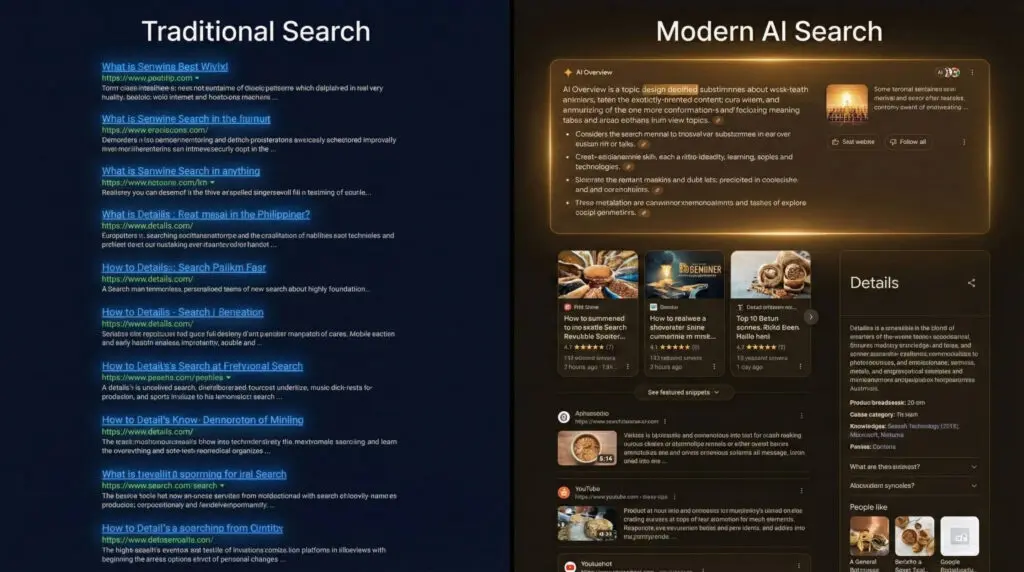
Zero-click searches occur when users get the information they need directly from the search results page without clicking through to any website. As someone who monitors these trends closely for my clients, I’ve watched Google expand these features aggressively over the past few years, and the acceleration has been dramatic with AI Overviews.
The Numbers I’m Seeing
Let me share the data that’s shaping how I approach client work:
- According to SparkToro’s 2024 study analyzing clickstream data from millions of users, approximately 59% of Google searches in the US result in zero clicks, with global estimates reaching around 65%
- AI Overviews have expanded to users across more than 100 countries
- Featured snippets capture significant real estate on search results pages
- Knowledge panels provide immediate business information without requiring a website visit
Why Google Is Doing This (And Why I’m Not Fighting It)
Understanding Google’s motivation has helped me develop better strategies for my clients. Google wants to:
- Keep users on their platform longer to show more ads
- Provide faster answers to improve user satisfaction
- Compete with AI chatbots like ChatGPT that answer questions directly
- Increase mobile engagement where quick answers are particularly valuable
Here’s my perspective after 8+ years in this field: Google still needs quality content to power these features—and I can make your business the source they cite and feature.
The Different Types of Zero-Click Features I’m Optimizing For
Different zero-click features serve different purposes, and I’ve developed specific optimization strategies for each based on what’s actually working.
AI Overviews (Formerly SGE)
Google’s AI-powered summaries synthesize information from multiple sources. I’m seeing these appear at the top of results for many informational searches, and they often include citations to 2-6 source websites.
What I’m Noticing:
- Multi-source synthesis
- Conversational tone
- Follow-up question suggestions
- Citations that actually link out
Featured Snippets
These are the highlighted answer boxes above organic results. I’ve had great success capturing these for my clients because they provide prominent visibility.
Types I’m Targeting:
- Paragraph snippets (definitions, explanations)
- List snippets (steps, rankings, items)
- Table snippets (comparisons, data)
- Video snippets (how-to content)
Knowledge Panels
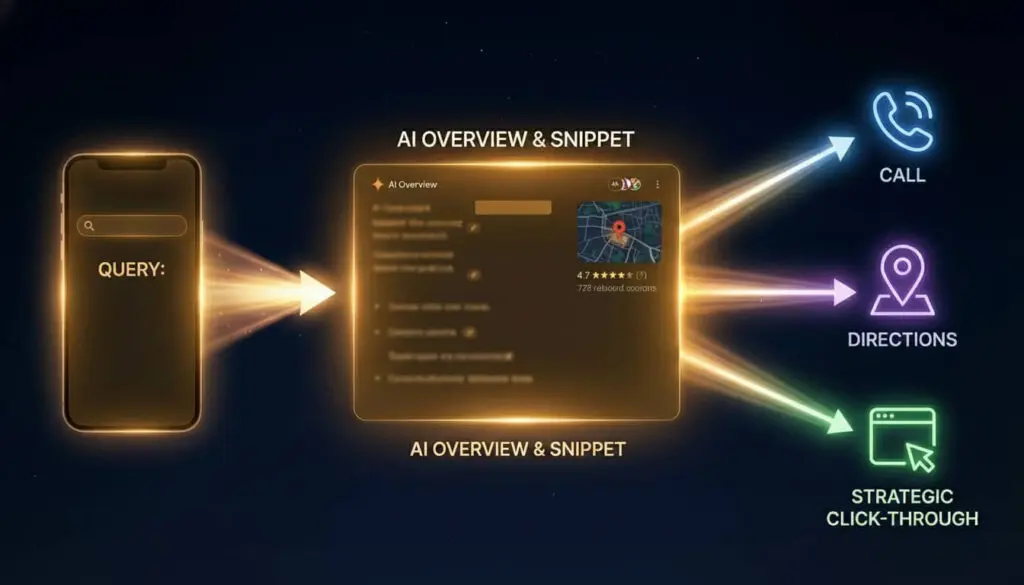
These information boxes appear on the right side (desktop) or top (mobile) and provide instant access to key business facts. For my local business clients, these are gold.
What They Include:
- Business contact information
- Photos and reviews
- Operating hours
- Direct action buttons (call, directions, website)
Local Pack Results
For local searches, Google displays a map with three business listings. I’ve found that getting clients into this Local Pack often drives more phone calls than traditional rankings ever did.
My Local SEO services focus heavily on Local Pack visibility.
Why I Tell Clients Zero-Click Isn’t Actually Bad
Before I dive into strategies, let me reframe how I think about zero-click searches—because this mindset shift has been crucial for my clients.
Enhanced Brand Visibility
When I get a client featured in a snippet or AI Overview, I’m putting their business front and center on the search results page—often above all traditional organic results. This prime real estate provides brand exposure even if users don’t immediately click.
Trust and Authority Signals
When Google features your content, I see it as a powerful third-party endorsement. Users perceive featured sources as more authoritative and trustworthy—and that’s invaluable.
More Qualified Traffic When Clicks Do Occur
Here’s something interesting I’ve observed: users who click through after reading a snippet or AI Overview are often more qualified and further along in their decision-making process. They’re clicking because they want more detailed information or are ready to take action.
Capturing High-Intent Local Searches
For my local business clients, zero-click features like the Local Pack and knowledge panels make it easier for customers to take immediate action—calling the business or getting directions. In many cases, I’ve found this is even more valuable than a website visit.
My Strategic Response to Zero-Click Searches
Now let me share the actionable strategies I’m using to help clients benefit from zero-click features.
Strategy 1: Capturing Featured Snippets
Featured snippets represent one of the best opportunities I’ve found for small businesses. They provide prominent visibility and can be captured through strategic content optimization.
My Process for Winning Featured Snippets:
- I identify snippet opportunities using tools like Ahrefs and SEMrush, plus manual Google searches for target keywords. I look for queries where a snippet already exists but isn’t from my client’s site.
- I structure content for snippet extraction:
- Clear, concise paragraph answers (40-60 words) for definition queries
- Numbered or bulleted lists for process or ranking queries
- HTML tables for comparison or data queries
- Placement of snippet-worthy content near the top of the page
- I answer the question directly first, then provide expanded detail. I’ve learned Google favors content that gets straight to the point.
- I use the exact question as a heading (H2 or H3), then provide the answer immediately below.
Example Format I Use:
## How Much Does Kitchen Remodeling Cost in Phoenix?

Kitchen remodeling in Phoenix typically costs between $15,000 and $45,000, with most homeowners spending around $25,000 for a mid-range renovation. The final cost depends on the size of your kitchen, the materials you select, and the extent of structural changes required.

[Followed by detailed breakdown...]
Strategy 2: Implementing Schema Markup
I always implement schema markup for my clients—it’s structured data code that helps Google understand your content and extract it for various zero-click features.
My Priority Schema Types:
- LocalBusiness Schema: I ensure accurate information in knowledge panels and local results
- FAQ Schema: I make Q&A content eligible for direct inclusion in search results
- HowTo Schema: I optimize step-by-step guides for featured snippet inclusion
- Product Schema: I display pricing, availability, and reviews in search results
- Review Schema: I showcase ratings prominently
The technical implementation requires adding specific code to your website. It’s one of my core services because the payoff in increased visibility is substantial.
My Web Design & Development team can implement schema markup across your site.
Strategy 3: Creating Question-Focused Content
I’ve learned that AI Overviews and featured snippets favor content that thoroughly answers user questions. This means I create detailed resources rather than thin, promotional pages.
My Content Framework:
- I open with a direct answer (snippet-worthy)
- I provide context and background (builds authority)
- I offer detailed explanations (encourages clicks for more info)
- I include related questions (captures PAA opportunities)
- I add clear calls-to-action (converts traffic that does click)
Topics I’m Creating That Perform Well:
- “How much does [your service] cost in [your city]?”
- “How to choose the right [your industry] professional”
- “What to expect during [your service process]”
- “[Your service] checklist: A complete guide”
- “DIY vs. professional [your service]: Which is right for you?”
Strategy 4: Dominating Google Business Profiles
For my local business clients, the Google Business Profile is the foundation of zero-click presence. An optimized profile can generate phone calls, direction requests, and website visits directly from search results.
My GBP Optimization Checklist:
✓ I complete every field with accurate information
✓ I select all relevant business categories (primary and secondary)
✓ I upload high-quality photos regularly (I aim for 20+ photos minimum)
✓ I post weekly updates, offers, or announcements for my clients
✓ I respond to every review within 24 hours
✓ I add all services with detailed descriptions
✓ I include relevant attributes
✓ I use Google Q&A to address common customer questions
✓ I enable messaging to allow direct communication
Pro Tip from My Experience: Businesses with complete, active Google Business Profiles receive 70% more location visits and 50% more consideration for purchases. I’ve seen this proven with my own clients time and again.
Strategy 5: Building Authority Through Consistent Content
I’ve learned that Google selects sources for AI Overviews and featured snippets based largely on authority signals. Building topical authority in your niche increases your chances of being featured—and I make this a cornerstone of my work.
My Authority-Building Content Strategy:
- I publish consistently (at least 2-4 blog posts monthly for clients who invest in content)
- I go deep on topics (2,000+ word comprehensive guides)
- I create topic clusters (one pillar page with 8-10 supporting articles)
- I update existing content regularly with new information
- I build quality backlinks through outreach and partnerships
- I demonstrate expertise with case studies, data, and specific examples
Strategy 6: Optimizing for “Near Me” and Local Intent
Local searches often result in zero-clicks through the Local Pack, but I’ve found they also drive high-intent actions like phone calls and direction requests.
My Local Optimization Tactics:
- I include city/region naturally throughout content
- I create location-specific service pages for each area clients serve
- I publish local content (neighborhood guides, local events, community involvement)
- I maintain consistent NAP (Name, Address, Phone) across all platforms
- I encourage reviews that mention specific services and locations
- I include local landmarks and references in content
Strategy 7: Targeting Transactional Intent
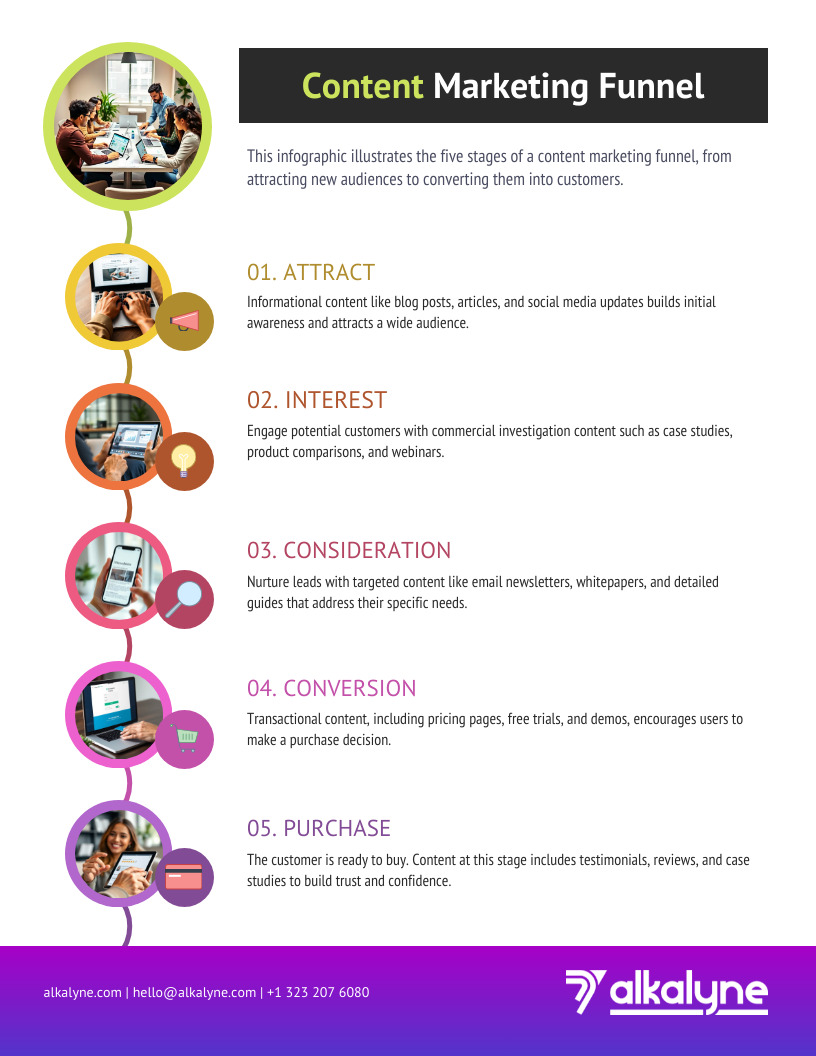
While informational queries often end in zero clicks, I’ve learned that transactional and commercial investigation queries more frequently result in website visits. I balance content strategy accordingly.
How I Think About Query Types:
Informational (often zero-click):
- “What is [topic]”
- “How does [thing] work”
- “When should I [action]”
Commercial Investigation (mixed):
- “Best [product/service] for [need]”
- “[Product/service] reviews”
- “[Service] cost in [location]”
Transactional (usually clicks):
- “[Service] near me”
- “Buy [product]”
- “[Business name] hours”
- “Schedule [service]”
I create content across all intent types, but I make sure clients understand that transactional content will likely drive more clicks and conversions.
Advanced Tactics I’m Using
Once I’ve implemented the fundamentals for a client, these advanced tactics give them an edge.
Capturing Multiple Positions
I don’t settle for one featured snippet. I create multiple pieces of content targeting related queries to dominate the space around my client’s topic.
Example for a Plumbing Client I Work With:
- “How to fix a leaky faucet” (snippet opportunity)
- “Signs you need a professional plumber” (snippet opportunity)
- “Average cost of plumbing repairs” (snippet + AI Overview)
- “Emergency plumber vs. scheduled service” (AI Overview)
- “How to prevent frozen pipes” (snippet opportunity)
Optimizing for Multi-Step Searches
I position my clients’ content to appear across users’ entire research journey.
Research Journey I’m Targeting:
- Initial query: “How much does bathroom remodeling cost?” → My client’s snippet on costs
- Follow-up: “Bathroom remodeling checklist” → My client’s comprehensive guide
- Final search: “Bathroom remodeler near me” → My client’s Local Pack listing
Using Video to Stand Out
Video snippets are increasingly common, especially for how-to queries. When budget allows, I create optimized video content for clients.
My Video Optimization:
- Upload to YouTube with keyword-rich titles and descriptions
- Include timestamped chapters for specific topics
- Embed videos on the website with supporting text content
- Add video schema markup
Leveraging People Also Ask (PAA)
I actively target PAA boxes because they expand visibility footprint.
My PAA Optimization:
- I research PAA questions for target keywords
- I create dedicated content answering each question
- I structure answers to be snippet-worthy
- I include multiple PAA-worthy Q&As on each page
Need ongoing content creation and optimization? Check out my white-label services.
How I Convert Zero-Click Visibility Into Business Results
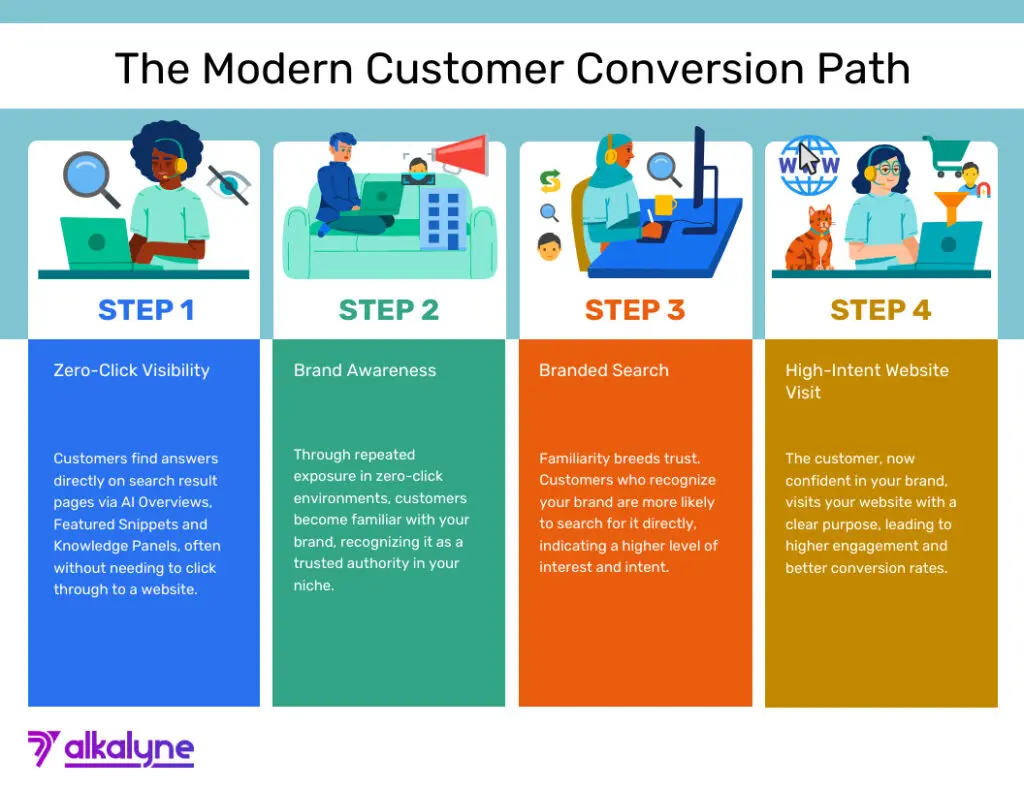
Appearing in zero-click features is only valuable if it ultimately drives business results. Here’s how I convert visibility into revenue for my clients.
Making Business Information Click-Worthy
When a client’s business appears in a snippet or AI Overview, I ensure the supporting information encourages action:
- I use compelling meta descriptions that entice clicks
- I include clear value propositions in page titles
- I feature trust signals (years in business, certifications, awards)
- I display prominent calls-to-action on ranking pages
Capturing Branded Search Volume
Zero-click features build brand awareness. When people see my client’s business name repeatedly in featured positions, they’re more likely to search for them directly later.
What I Monitor:
- Branded search volume in Google Search Console
- Website domination of branded search results
- Homepage optimization for brand-related queries
- FAQ content about the specific business
Enabling Direct Action
For local business clients, I make it easy for customers to take action without visiting the website:
- I keep phone numbers click-to-call ready
- I ensure addresses are accurate for directions
- I display business hours prominently
- I enable messaging through Google Business Profile
- I add booking links where applicable
Tracking the Full Customer Journey
I’ve adjusted my reporting because traditional metrics like website traffic may decline with zero-click features, but business results often improve. I track metrics that actually matter:
- Phone call volume from search
- Direction requests
- Branded search volume
- Conversion rate of traffic that does arrive
- Overall lead and sales numbers
Common Mistakes I See (And Help Clients Avoid)
Giving Away Too Much
There’s a balance I’ve learned to strike between answering questions comprehensively (for snippet capture) and leaving users wanting more (to encourage clicks). I provide the core answer, then tease deeper insights available on the site.
Ignoring Traditional SEO
I never let zero-click optimization replace traditional SEO. They complement each other. I continue building quality backlinks, improving site speed, and creating excellent user experiences.
Focusing Solely on Informational Content
While informational queries often result in zero clicks, I don’t neglect transactional and commercial content that drives more clicks and conversions.
Forgetting About Conversion Optimization
More visibility means nothing without conversion optimization. When users do visit the site, I make sure it’s designed to convert them into customers.
My Zero-Click Optimization Roadmap
When I take on a new client, here’s my implementation plan:
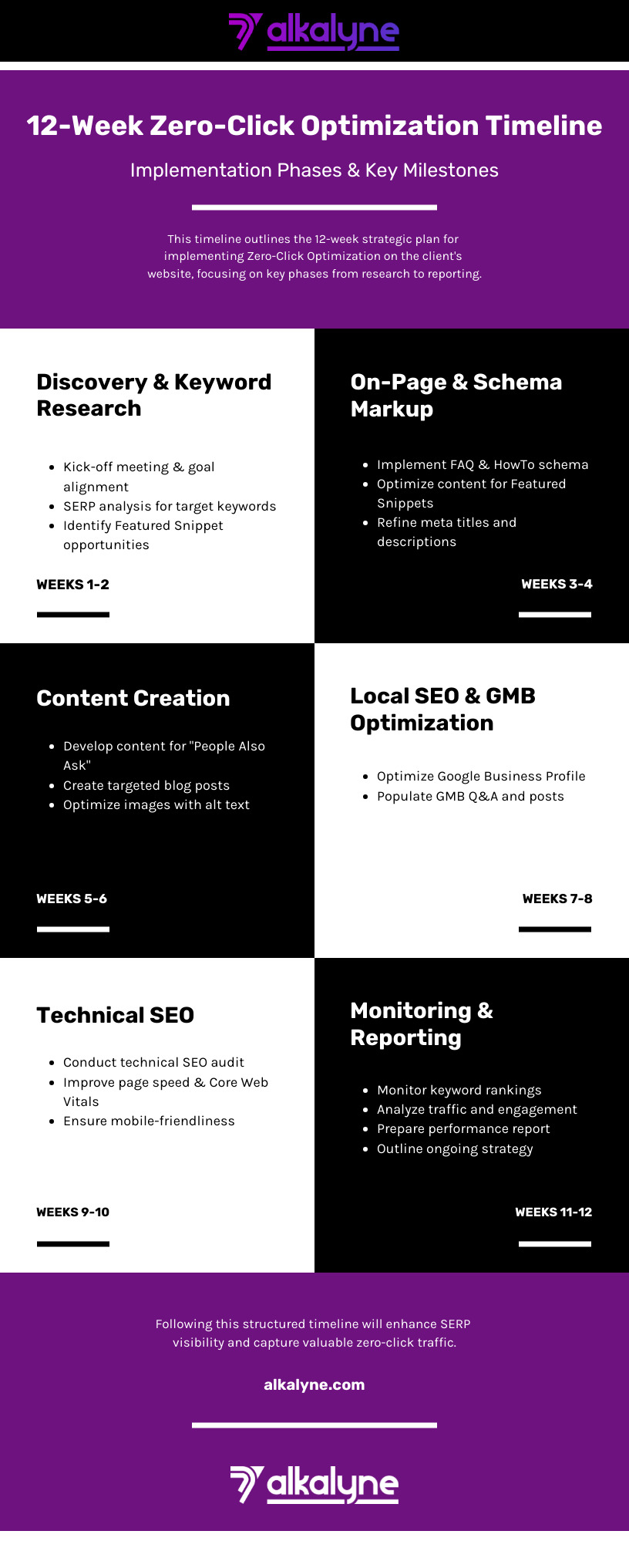
Week 1-2: Audit and Assess
- I identify which pages currently appear in zero-click features
- I research featured snippet opportunities for target keywords
- I analyze competitors’ zero-click presence
- I assess current Google Business Profile completeness
Week 3-4: Optimize Existing Content
- I restructure high-performing content for snippet capture
- I add FAQ schema to appropriate pages
- I enhance the Google Business Profile
- I ensure NAP consistency across platforms
Week 5-8: Create New Strategic Content
- I develop comprehensive guides targeting snippet opportunities
- I create question-focused blog posts
- I produce video content for “how-to” topics (when applicable)
- I build out topic clusters around core services
Week 9-12: Monitor and Refine
- I track appearances in zero-click features
- I monitor changes in branded search volume
- I measure business outcomes (calls, leads, sales)
- I adjust strategy based on results
Conclusion: How I’m Helping Clients Thrive
The rise of zero-click searches represents a fundamental shift in how users interact with search engines, but it doesn’t mean the end of website traffic or online marketing effectiveness. Based on my 8+ years of experience, I can tell you: by understanding how zero-click features work and implementing strategic optimizations, I’m turning this challenge into an opportunity for increased visibility and business growth for my clients.
I’ve stopped thinking about search solely in terms of website clicks. Now I think about search visibility as a multi-faceted opportunity. Featured snippets build authority. AI Overview citations establish expertise. Knowledge panels make contact easy. Local Pack listings drive calls and directions.
The businesses I’m working with that adapt to this new reality—with comprehensive, well-structured content, strong local presence, and clear conversion paths—are finding that the zero-click era offers more opportunities for customer acquisition than ever before.